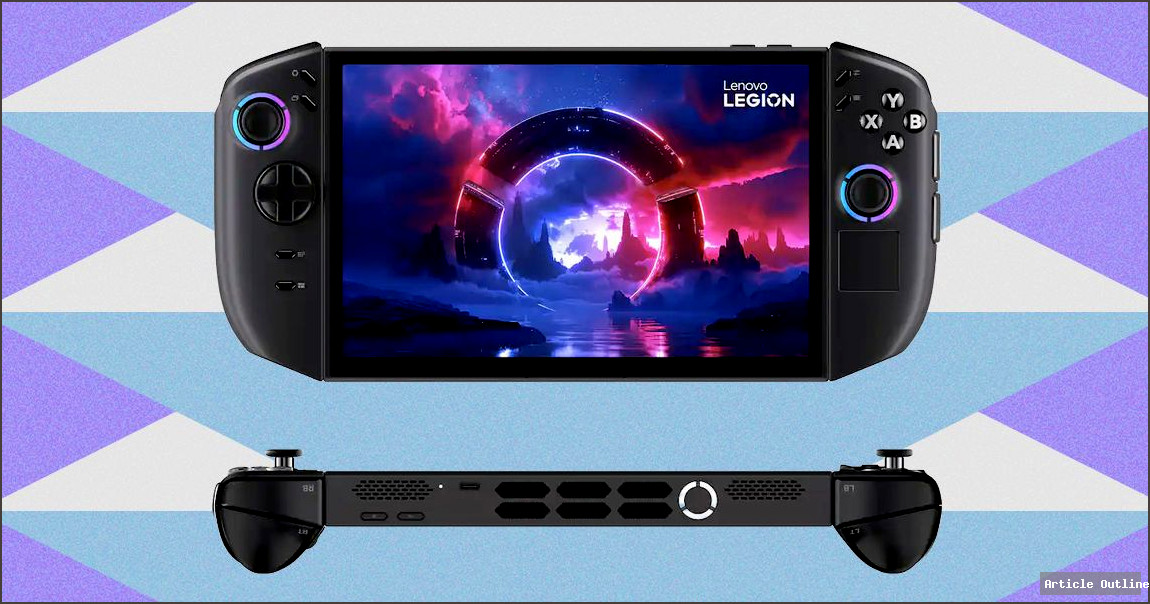
The handheld gaming market is evolving rapidly, and Lenovo’s Legion Go 2 is proof the competition is heating up. This isn’t just another slab with buttons—it’s a thoughtful, feature-rich device designed for enthusiasts who demand more than the basics. But is ‘more’ always better, or does the Windows-powered approach hold it back from true mainstream glory?
Why This Matters
The Legion Go 2 represents a new breed of portable gaming: premium, customizable, and built for serious players on the move. Unlike earlier handhelds, Lenovo’s device doesn’t just chase Nintendo’s Switch or Valve’s Steam Deck—it tries to outdo them with detachable controllers, a vibrant OLED screen, and high-end specs. As more AAA games become portable, the line between console, PC, and mobile gaming is blurring. Devices like this could define the next era of how (and where) we play.
What Most People Miss
- The included case is a game-changer. Many overlook this, but with non-standard device shapes, finding a good case can be a nightmare. Lenovo addresses this pain point out of the box—something even Nintendo and Valve didn’t do at launch.
- The fingerprint sensor isn’t just a gimmick. For devices running Windows, logging in can be a hassle, especially on a touchscreen. Lenovo’s sensor, even if awkwardly placed, streamlines access in a way most competitors don’t.
- OLED screen quality rivals top-tier laptops. With 100% sRGB and 94% AdobeRGB coverage, plus .86 color delta, this isn’t just ‘good for a handheld’—it’s good, period. For creatives or color-critical gamers, that’s huge.
Key Takeaways
- Performance is strong for a handheld—the AMD Z2 chip holds up well, especially compared to other Windows-based portables. While 20 FPS in Cyberpunk 2077 at max settings won’t wow desktop users, it’s actually impressive for this form factor.
- Indie titles shine. The 144Hz OLED is especially noticeable with lighter games, offering buttery-smooth visuals you usually only see on premium monitors.
- Windows still isn’t seamless for gaming-on-the-go. As powerful as the Legion Go 2 is, Windows introduces friction—boot times, updates, and desktop-centric quirks can frustrate users expecting instant-on experiences like the Switch.
Pros and Cons Analysis
- Pros:
- Detachable, ergonomic controllers
- Best-in-class OLED display
- Thoughtful extras (case, fingerprint sensor)
- Strong performance for both AAA and indie games
- Cons:
- Bulkier than some competitors
- Windows quirks can interrupt the experience
- Case is semi-soft—not ideal for rough travel
- Fingerprint sensor placement isn’t perfect
Industry Context & Comparisons
- The Steam Deck leads in software integration, but lags behind in screen quality and modularity.
- Asus ROG Ally offers a similar Windows experience, but Lenovo’s controller design and bundled accessories give it an edge for portability and comfort.
- The Nintendo Switch is still the plug-and-play champ for casuals, but can’t match Legion Go 2’s graphics, refresh rate, or display accuracy.
Action Steps for Power Users
- Take advantage of the OLED’s color accuracy for both gaming and creative work—try photo editing on the go!
- Use the included case for everyday carry, but consider extra protection for flights or more rugged travel.
- Customize your Windows setup for gaming—disable unnecessary startup apps, and use Steam Big Picture or similar launchers for a more console-like experience.
The Bottom Line
If you’re a power user who values flexibility, display quality, and comfort, the Lenovo Legion Go 2 is one of the best handhelds yet. Just remember: with great power (and Windows) comes a bit more tinkering. For those willing to tweak and optimize, the payoff is a portable experience that rivals some desktop rigs—something unthinkable just a few years ago.